DigiAds Terminal for
Windows Desktop
The dedicated desktop Point-of-Sale client built for restaurant cash counters. Direct thermal receipt printing, loud kitchen chimes, and instant table order management.
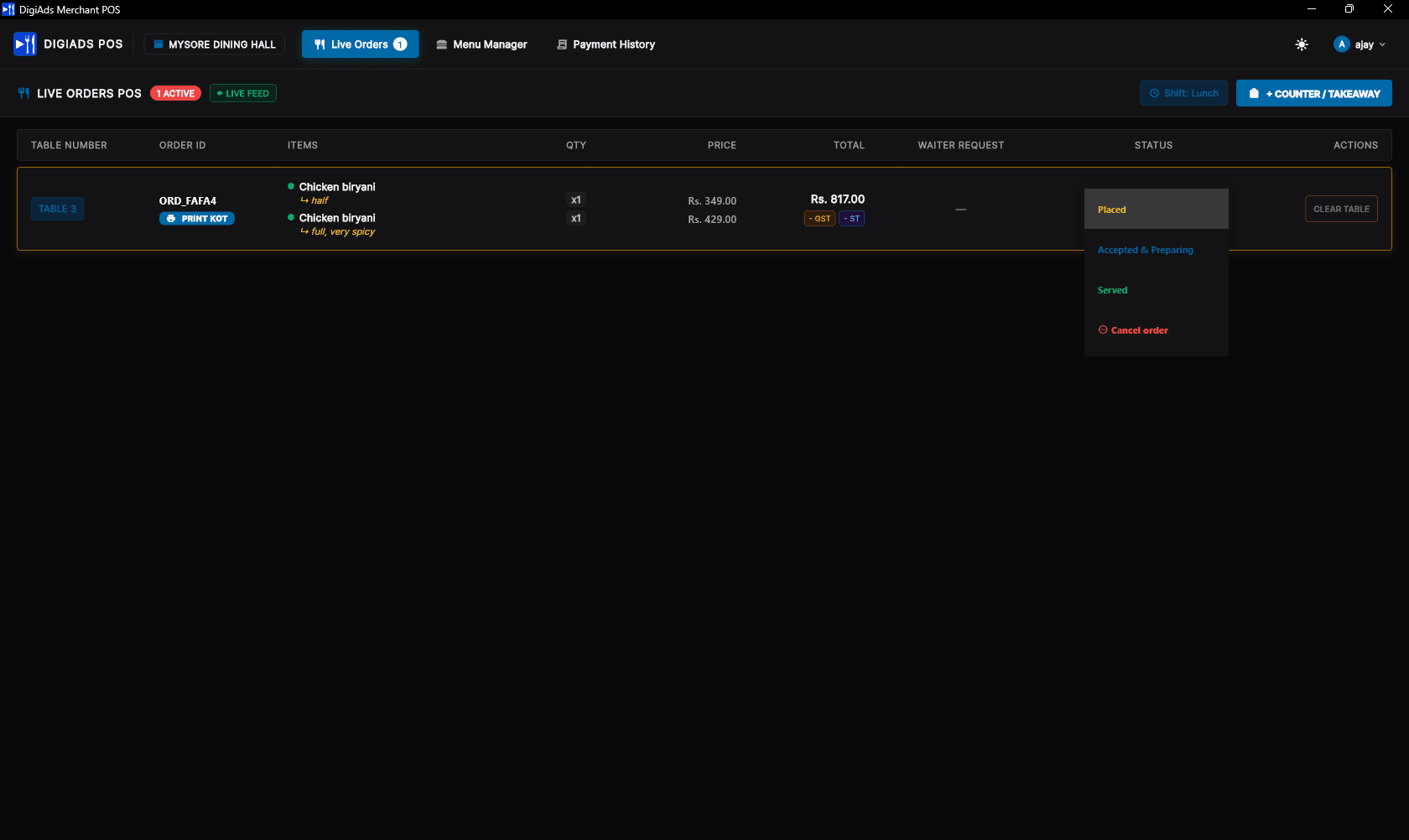
Why Run the Windows Desktop App?
Browser tabs can lag, sleep in the background, or get closed accidentally. DigiAds for Windows is built for high-tempo hospitality environments.
Direct Bill & KOT Printing
Directly sends thermal receipts and kitchen order tickets to 80mm & 58mm USB/Network printers without browser dialog interruptions or print delays.
Live WebSockets Order Updates
Real-time two-way synchronization ensures table orders, menu edits, and status transitions reflect across counter screens in milliseconds.
Native Windows App for Quick Launch
Built natively for 64-bit Windows with near-instant boot times, snappy navigation, and an ultra-lean memory footprint without heavy browser bloat.
Runs in the Background
Silently minimizes to the Windows system tray and taskbar so counter workstations stay active and cashiers never miss an incoming table order.
Notifications for Orders & Requests
Clear visual badges, native OS alerts, and distinct audio chimes notify staff instantly whenever customers place orders or request assistance.
Auto Reconnect
Resilient network layer automatically detects dropped connections and reconnects to the cloud without requiring cashiers to refresh or restart.
Runs on Any Standard Windows Billing PC
Whether you have an all-in-one POS touch screen, an Intel NUC, or a standard counter desktop running Windows 10 or 11, DigiAds operates smoothly with minimal system resource footprint.
Compatible with all standard ESC/POS USB, Ethernet, and Virtual COM receipt printers (Epson, TVS, NGX, Posiflex, Retsol, Everycom, and generic 58mm/80mm printers).
Minimum & Recommended Specifications
Easy 3-Step Setup
Get your restaurant counter ready in less than 3 minutes.
Download the Installer
Click the download button above to grab the official DigiAds-POS-Setup.exe executable directly from our release repository.
Run & Install
Launch the downloaded setup file on your billing counter PC. If Windows SmartScreen appears, click "More info" and then "Run anyway".
Log In with Mobile & Password
Open DigiAds POS, enter your registered venue mobile number and password. All your tables, live orders, and menu items load automatically!
Ready to Upgrade Your Cash Counter?
Download the official Windows POS terminal client today and experience zero-lag dining operations.